
Last updated: September 2026. Written by Marloes Slotboom, founder of Coby Agency.
Running Google Ads without accurate conversion tracking is like sailing without a compass. You are spending budget, your campaigns are running, you are getting clicks, but you have no reliable way of knowing what is actually working.
Conversion tracking tells you whether clicks turn into customers. It shows which ads, keywords and campaigns deserve more budget, and which ones quietly drain it. The catch: tracking tends to break silently. The reports look fine, the clicks keep coming in, but the number that matters is wrong.
That hurts more than it used to, because Smart Bidding, Performance Max and AI Max all run entirely on your conversion data. If you measure too little or the wrong things, Google optimises on a distorted picture of reality. The campaigns you are scaling may not be the ones driving revenue.
These are the eight most common Google Ads tracking problems we see in accounts at Coby Agency, with a concrete fix for each one.
Why tracking problems are getting worse, not better
Third-party cookies have not disappeared. Google reversed its plan to remove them from Chrome. The real problem sits elsewhere: signal loss on several fronts at once.
Safari and Firefox have restricted tracking by default for years through Intelligent Tracking Prevention and Enhanced Tracking Protection. Apple’s App Tracking Transparency does the same on iOS. And under GDPR, a portion of your visitors actively decline cookies in your consent banner. For those visitors, standard pixel-based tracking records nothing.
The result: the conversion data Smart Bidding uses to optimise your campaigns is structurally incomplete. Every problem in this list widens that gap.
Problem 1: no Enhanced Conversions set up
This is the first thing we check in every tracking and analytics setup we take over. Enhanced Conversions is one of the most impactful fixes available in Google Ads, and most accounts do not have it configured.
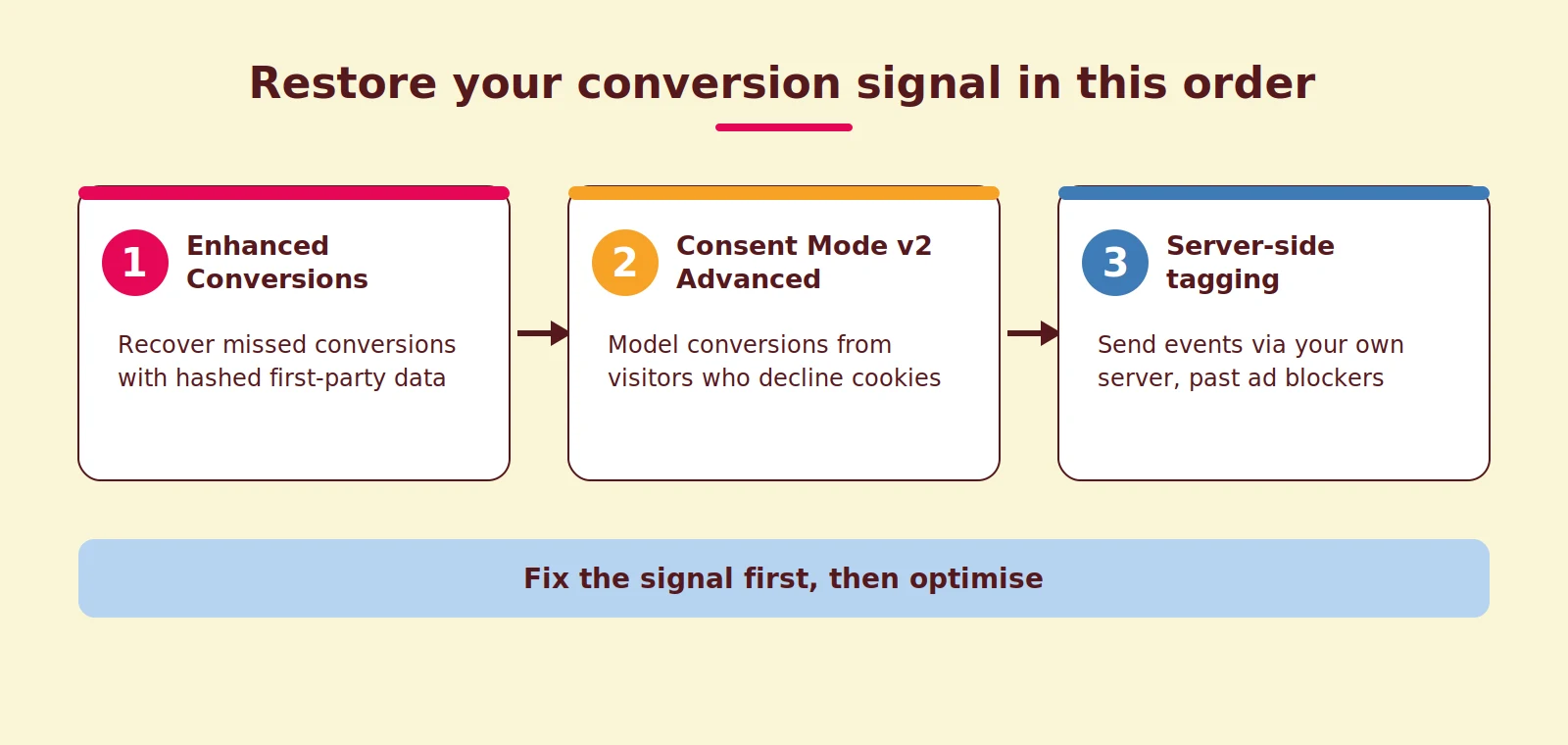
Standard conversion tracking places a cookie at the moment of the ad click and fires when the conversion page loads. Enhanced Conversions works differently: it hashes first-party data you already collect at the point of conversion (such as an email address) and matches it, encrypted, against signed-in Google accounts. A conversion can then still be attributed when cookies are blocked, deleted or never accepted. Cross-device journeys, from phone to laptop, also come through far more often.
✅ The fix: enable Enhanced Conversions under Goals → Conversions → Settings and pass hashed customer data through Google Tag Manager. The details are in Google’s official documentation. For context on what data you do and do not send, read our guide to first-party data.
Problem 2: Consent Mode v2 missing or stuck in Basic Mode
Consent Mode v2 solves a different problem from Enhanced Conversions: visitors who actively decline tracking through your consent banner.
When someone declines cookies, standard tracking records nothing. With Consent Mode v2, your site sends anonymised, cookieless pings to Google: a signal that an interaction happened, without any personal identifier. Google then models what those conversions likely were, based on patterns from visitors who did consent.
For advertisers targeting the EEA, Consent Mode v2 has been required since March 2024 to keep conversion measurement and remarketing working. Skip it, or implement it halfway, and you are blind on exactly the part of your traffic that is hardest to measure anyway.
✅ The fix: implement Consent Mode v2 through your consent management platform; tools like Cookiebot and Usercentrics have native integrations. Choose Advanced Mode deliberately, because Basic Mode does not send the cookieless pings, so there is nothing to model. Google explains the difference in its consent mode documentation.
Problem 3: the wrong conversions are set as Primary
One of the most damaging mistakes in B2B accounts. Multiple conversion actions exist (forms, button clicks, PDF downloads, scroll depth) and several of them are set to Primary.
Smart Bidding then optimises towards all of them equally. It will happily spend budget on users likely to scroll to the bottom of your page, because that counts as a conversion in your account. Activity gets confused with impact.
✅ The fix: review every conversion action under Goals → Conversions. Only actions with real business value (purchases, submitted forms, phone calls) belong on Primary. Set the rest to Secondary: the data stays visible but no longer steers your bidding. Our guide to Google Ads conversion tracking walks through the full setup step by step.
Problem 4: conversions are counted twice
If your conversion tag fires more than once per conversion, your data is inflated. Your cost per conversion looks artificially low and Smart Bidding learns from signals that do not exist.
Duplicate counting typically happens when a tag is hardcoded on the site and also fires through Google Tag Manager, or when a reloaded thank-you page fires the tag again. Many advertisers also see differences between Google Ads and GA4: the platforms use different attribution models, reporting windows and event definitions, so small differences are normal. Large gaps point to something broken.
✅ The fix: test your thank-you page with Google Tag Assistant and confirm the conversion tag fires exactly once. If it fires more often, audit your GTM container and any tags placed directly on the site. If you are unsure about your whole tag setup, a GTM audit is the fastest route.
Problem 5: no server-side tagging
Client-side tracking, where the tag fires in the visitor’s browser, is increasingly unreliable. Ad blockers, privacy settings and slow pages make tags fail silently.
Server-side tagging moves that work to a server you control. Your site sends the event to your server, and your server passes it on to Google. An ad blocker cannot block a server-to-server request. We explain how it works in our server-side tagging guide, and we documented a full implementation in our server-side tracking setup with GTM and TAGGRS.
At Coby, server-side tagging is part of the standard tracking setup for new clients. The difference in data completeness usually shows within two weeks.
✅ The fix: set up a server-side GTM container through a provider or your own cloud environment and route your GA4 and Google Ads events through it. For the options and pricing, see our comparison of server-side tracking tools.
Problem 6: attribution window shorter than your sales cycle
Google Ads only counts a conversion if it happens within the window you set after the click. The default is 30 days for click-through conversions.
If your B2B deal typically closes after 60 to 90 days, real conversions fall outside the window. Your campaigns look worse than they are, and you under-invest in what works.
✅ The fix: set the window per conversion action to match your actual sales cycle; Google describes the options in its conversion windows documentation. Choose your attribution model deliberately too: Google Ads now only offers data-driven attribution and last click, and for most accounts data-driven is the sensible choice.
Problem 7: phone calls and offline conversions stay invisible
For many service businesses, phone calls are the main source of leads, and exactly those often go unmeasured. A click on a phone number counts as a conversion, while a share of those clicks never becomes a call. Campaigns that generate real phone calls appear to underperform.
The same goes for conversions that complete offline: a deal that closes in your CRM, or a purchase in a physical store. Google Ads knows nothing about it until you tell it.
✅ The fix: measure real calls instead of clicks, using Google forwarding numbers or an external call tracking tool. And upload offline conversions from your CRM back into Google Ads consistently, so you measure the whole journey from first click to signed deal. Why that measurement layer comes first is the subject of our tracking-first approach to performance marketing.
Problem 8: no regular audit rhythm
This is the problem that lets all the others go undetected for months.
Tracking breaks silently. A site update removes a GTM trigger. A consent tool update changes which scripts load. A new landing page goes live without the conversion tag. None of this produces an error message; your conversions just quietly slide. Without a baseline to compare against, the drop gets blamed on seasonality or competition.
✅ The fix: make tracking audits a fixed monthly ritual and set up automated alerts in Google Ads for notable drops in conversion volume. On top of that, test immediately after every major site change.
How Coby approaches this
Best-in-class tracking is not a side note for us but the foundation: measurement first, campaigns second. When we take over an account, we run Coby’s Tracking Audit in this fixed order:
- Check the status of every conversion action (active, no recent conversions, inactive)
- Test conversion tags with Tag Assistant on every conversion page
- Confirm Enhanced Conversions is enabled and passing data
- Confirm Consent Mode v2 runs in Advanced Mode
- Review Primary versus Secondary for each conversion action
- Hunt down duplicate tag fires
- Compare attribution windows with the actual sales cycle
- Compare Google Ads conversions with CRM data for the past 90 days
In most new accounts, the first audit surfaces several of these problems. Fixing them often does more than any bidding change. For one B2B client, leads went from 2 or 3 per month to 4 or 5 per week, and that growth started not with the campaigns but with putting the measurement right.
Final thoughts
Good campaigns run on good data. If your Google Ads tracking is broken, you are making decisions in the dark: cutting the wrong campaigns and boosting the wrong ads.
Fix these eight tracking problems and you get cleaner data, reports that add up, and an algorithm steering on the right signals. Curious what is going wrong in your account? Get in touch and we will take a look with you.
Frequently asked questions
How do I know if my Google Ads conversion tracking is accurate?
Compare your Google Ads conversions with your CRM or backend data for the same period. Small differences are normal due to attribution windows and modelling, but a structurally large gap almost always points to a tracking problem.
What is the most impactful tracking fix to start with?
For most advertisers: Enhanced Conversions. It recovers conversions lost to cookie blocking and cross-device journeys, without requiring server infrastructure. After that, Consent Mode v2 in Advanced Mode is the logical second step.
Is Consent Mode v2 mandatory?
Yes. For advertisers targeting the European Economic Area, Consent Mode v2 has been required since March 2024 to keep conversion measurement and remarketing features working in Google Ads.
Does server-side tagging replace my current tracking?
No, it complements it. Server-side tagging catches the conversions that client-side tags miss because of ad blockers and browser restrictions. Most accounts run both in parallel for the broadest coverage.
How often should I audit my tracking?
Monthly for active accounts. Also run a targeted check immediately after any major change to your website, landing pages, consent tool or GTM container.
Will better tracking actually improve campaign performance?
Yes. Smart Bidding optimises on the conversion signals it receives. More complete, cleaner signals mean better targeting, a lower cost per conversion and reports you can actually base decisions on.