
 Coby Agency
Most businesses look for Google Tag Manager consultancy after their developer or a previous agency “set up GTM” and everything looked fine, right up until the moment they needed the data. Conversion counts that do not match Shopify. Events firing twice. A container with 40 tags, half of them orphaned, none of them documented. The container works in the technical sense, the way a filing cabinet works when everything is just piled inside it.
If you are a founder or marketing manager who suspects the numbers feeding your ad campaigns cannot be trusted, this guide is for you. GTM is one of the most useful tools in performance marketing, but the gap between “GTM is installed” and “GTM is giving us reliable data” is wider than most people expect, and it is where a lot of marketing decisions quietly go wrong.
Here is what this article covers:
- Why most GTM setups produce noisy data, and how to tell if yours does
- The tag mistakes that break most tracking setups, from thank-you pages to forms
- What a proper GTM audit checks, layer by layer
- How GTM decisions feed directly into Google Ads and Meta performance
- When server-side GTM is worth the extra complexity
The container is not the tracking strategy
GTM exists so marketers can deploy and manage tags without going back to a developer every time. A Google Ads conversion tag, a Meta Pixel, a LinkedIn Insight Tag, GA4 events: all manageable from one interface, with version control and a preview mode to test before you publish. On paper, clean.
The problem is that the ease of adding tags also makes it easy to add them badly. I have audited containers with three versions of the Meta Pixel firing on the same page. I have seen Google Ads conversion actions triggered on page views instead of purchases, meaning every session counted as a conversion. Smart Bidding was optimising against that data. The campaigns looked brilliant. They were not.
This is the core thing to understand about GTM: the container is a deployment mechanism, not a strategy. Which events to track, what counts as a conversion, how to deduplicate client-side and server-side events, how to avoid double-counting: that is separate work, and it has to come first. Otherwise you are just deploying bad data faster.
GTM also got a new interface in 2026, as a first step towards a bigger integration with Google tag. We covered what changed, and which new feature to handle with care, in our article on GTM’s new interface.
The tag mistakes that break most setups
A handful of failure patterns come up again and again in audits. Each one looks fine in a quick test and falls apart under real user behaviour.
The thank-you page tag that counts nothing (or everything)
The most expensive mistake: firing the purchase tag on page load of the thank-you page. It seems logical, but customers do not behave logically. They refresh the page and double-count the conversion. They bookmark it and return later. They complete the purchase in a different session so the conversion attributes to the wrong source. And on some sites the same thank-you URL serves bookings, newsletter sign-ups, and purchases, all reported as one conversion type.
The fix is to fire the tag when the transaction actually processes, not when a page loads. That means an ecommerce dataLayer push that fires once per transaction, a custom event tied to successful payment, or server-side tracking that page refreshes cannot game.
Form tracking that misses real leads
A standard form-submit trigger only fires if the form technically submits. Validation errors, users navigating away, or a JavaScript error all mean the tag never fires even when the lead came through another way. Better form tracking uses three tags: a form start (first field focused), a form progress point, and a success tag that fires only on confirmed submission. That also gives you funnel data on where people abandon.
Timing and sequencing failures
Tags set up during quiet periods can misfire under load, when a slow page redirects before the tag has sent its data. And when multiple tags fire on one trigger and one depends on data another processes first, firing order matters. GTM’s tag sequencing feature handles this, but only if you map the dependencies before building triggers.
Cross-domain gaps
If your main site and checkout live on different domains, you need linker parameters passing client IDs between them, referral exclusions so your own checkout domain does not steal attribution, and a test of the full journey. Without that, one customer looks like two people and your attribution breaks completely.
What a proper GTM audit covers
When I run a GTM audit for a new client, the container itself is only one layer. This is Coby’s four-layer GTM audit:
- Trigger logic. Are conversion tags firing on the right events, once per transaction, and only there? A purchase tag belongs on a confirmed order event or a dataLayer push from the ecommerce platform, not a generic thank-you URL.
- dataLayer setup. GA4 and Google Ads Enhanced Conversions depend on a clean dataLayer to pass transaction IDs, order values, and user data. If the ecommerce dataLayer is not pushed before GTM fires, you are missing revenue values or sending zeroes. Google’s Tag Manager documentation covers the specification, but implementation is a developer task that needs proper coordination.
- Deduplication. Running server-side GTM alongside client-side means the same event must not be reported twice. A Meta Conversions API event and a browser Pixel event for the same purchase need the same event ID so Meta can deduplicate. Get it wrong and reported ROAS rises while actual ROAS does not, pulling budget into campaigns that do not deserve it.
- Variable hygiene. Variables referencing page elements that no longer exist, custom HTML tags with hardcoded IDs from a redesign two years ago, lookup tables pointing at old campaign parameters. A container touched by three agencies over four years is often a documentation nightmare where nobody dares delete anything.
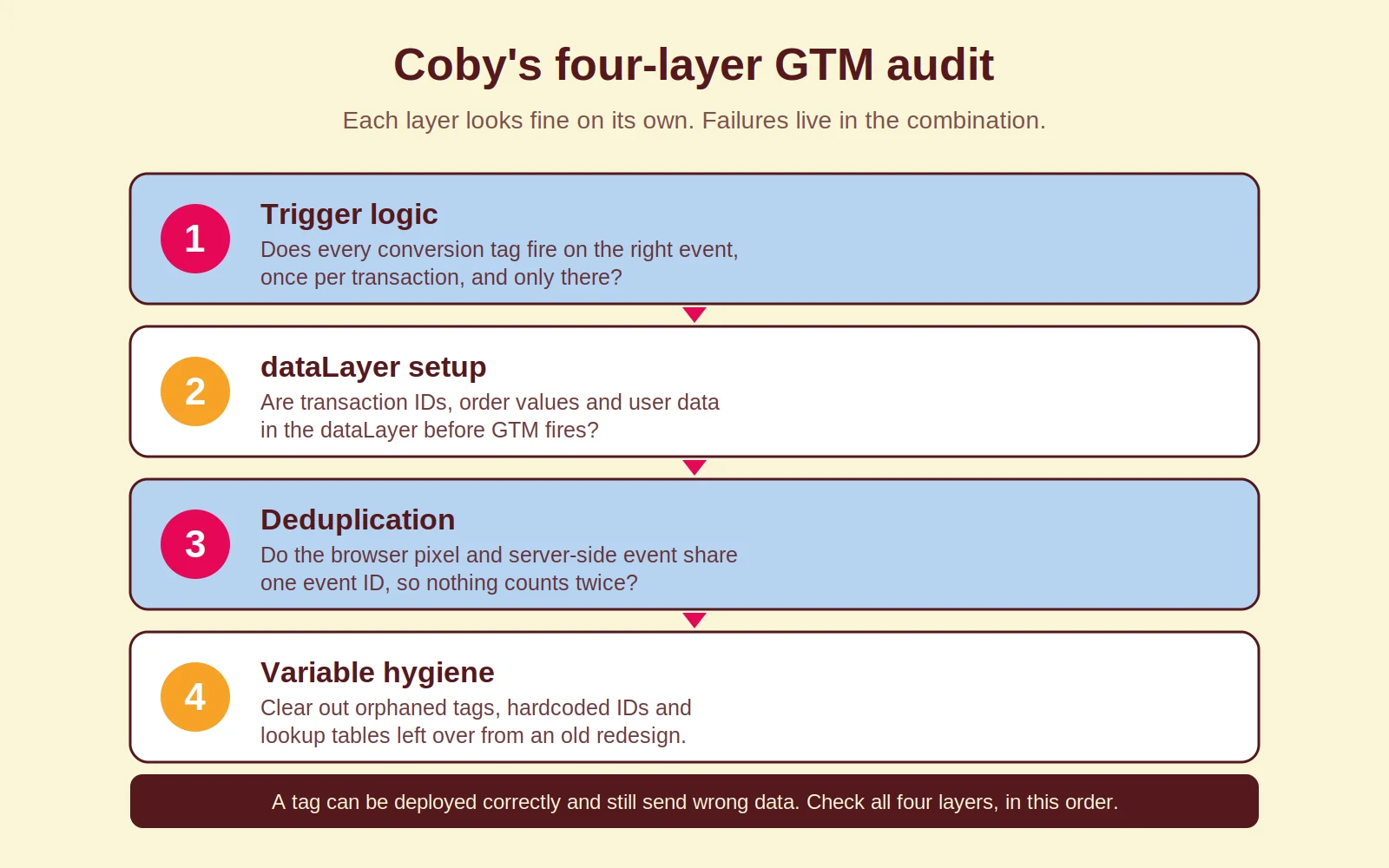
The audit output should be a prioritised list of what to fix and why, cross-referenced against what is actually arriving in GA4 and the ad platforms. A tag can be deployed correctly and still produce wrong data if the site-side dataLayer is broken.
Where GTM decisions feed paid channel performance
This is the part most GTM guides miss, because they treat tag management as an IT task rather than a performance marketing task.
Every conversion signal you send to Google Ads via GTM trains the algorithm. Smart Bidding uses those signals to decide who sees your ads and what it bids in each auction. If your conversion tag fires on the wrong event, fires multiple times per transaction, or misses mobile purchases because a trigger relied on a button class that changed in a site update, Smart Bidding trains on corrupted data. Recovery takes weeks, because the model needs time to relearn.
The same applies to Meta. The Meta Pixel deployed via GTM handles browser-side events; combined with the Conversions API it gives Meta the signal quality its optimisation needs. Meta’s guidance on Event Match Quality explains how better data matching improves delivery. A poorly configured Pixel with low match quality directly limits which audiences you reach.
This is why we fix tracking before launching or scaling campaigns, every time. Optimising a Google Ads campaign on noisy conversion data is a waste of budget, and the fix usually costs less than one month of that waste.
Server-side GTM: when the extra complexity pays off
Server-side GTM moves tag execution from the user’s browser to a server you control, typically a cloud container on Google Cloud Platform. Ad blockers and iOS privacy restrictions affect client-side tags but not server-to-server calls, you control what data leaves your infrastructure, and first-party cookies set server-side last longer than those set by browser JavaScript.
For ecommerce businesses doing serious volume, that is usually worth the setup cost and monthly hosting. For smaller businesses still getting the basics right, start with a clean client-side container first. Server-side adds complexity, and fundamentals beat infrastructure.
One platform-specific note: Shopify checkout pages restrict third-party scripts, and Shopify’s Customer Events (web pixels) framework is now the supported way to capture checkout events. If your GTM setup predates that change and has not been updated, your purchase data is likely incomplete.
How Coby approaches GTM consultancy
Best-in-class tracking is the first thing we build for every client, because everything downstream depends on it. A GTM engagement at Coby starts with the four-layer audit above and a review of what is actually arriving in GA4 and the ad platforms. From there the work is typically some combination of rebuilding conversion tracking, aligning GA4 event naming with your real funnel, setting up Enhanced Conversions for Google Ads, and configuring the Meta Conversions API through a server container.
Documentation is part of the job. A container without notes, naming conventions, or an audit log is a liability the next time anyone touches it, so we build that in even when clients do not ask.
If you want tracking your campaigns can actually trust, our tracking and data analytics service covers GTM audits, dataLayer specification, conversion setup, and server-side implementation. It connects directly to our performance marketing and marketing automation work, because clean event data powers those too. Or read how this fits the bigger measurement picture in our guide to server-side tagging, then get in touch.
Frequently asked questions
Does GTM replace Google Analytics?
No. GTM is a tag management system: it deploys and fires tags, including the GA4 tag. Google Analytics is where the data lives and gets reported. They work together, but you need both.
How do I know if my GTM setup is producing bad data?
Compare your conversion numbers in Google Ads or Meta with what your ecommerce platform or CRM reports. Discrepancies beyond five to ten per cent usually point to double-firing, missed events, or wrong trigger logic. GTM’s preview mode and the browser console are the right starting points for diagnosis.
What is the difference between client-side and server-side GTM?
Client-side GTM runs in the visitor’s browser, which makes it vulnerable to ad blockers and browser privacy restrictions. Server-side GTM runs on a server you control, so it is less affected by those limits and gives you more control over data handling. It also costs more to set up and host, so it is not the right choice for every business.
Can I set up GTM myself or do I need a consultant?
Basic setup, such as installing the container and adding a GA4 tag, is manageable without help. Conversion tracking for paid channels, Enhanced Conversions, dataLayer integration with an ecommerce platform, and server-side work all have real complexity. Getting them wrong usually costs more than the consultancy would have.
How long does a GTM audit take?
A thorough audit of a mid-size ecommerce container, reviewing all tags, triggers, and variables and cross-referencing GA4 and ad platform data, typically takes two to four days. Containers with years of accumulated tags, multiple site versions, and several ad platforms take longer.
Does GTM work with Shopify?
Yes, though Shopify’s checkout has restricted third-party scripts for some time, and Customer Events (web pixels) is now the supported route for checkout tracking. If your setup predates that change and has not been updated, your purchase conversion data may be incomplete.
Last updated: August 2026
Written by Marloes Slotboom, founder of Coby Agency