
If you were running Dynamic Search Ads, they are gone. Google automatically upgraded all eligible DSA campaigns to AI Max for Search in September 2026, with the migration concluding by the end of that month. Whether you prepared for it or not, your account is now running on AI Max.
That changes the useful question. It is no longer “should I test AI Max before the deadline” but “what did the upgrade switch on in my account, and is it helping or quietly wasting budget”. This guide covers what AI Max for Search actually is, what Google’s own performance data shows, and what to check in your campaigns now that the migration is behind us.
What AI Max for Search actually does
AI Max is not a new campaign type. It is a suite of three features you activate inside an existing Search campaign, described in Google’s AI Max documentation.
Search term matching expands your reach beyond your keyword list using intent signals from your landing pages, ad copy and real-time query context. Think of it as the old DSA matching logic with broader signals and better reporting.
Text customisation generates headlines and descriptions dynamically based on your landing page content, keywords and existing assets. It replaced what was previously called Automatically Created Assets.
Final URL expansion routes traffic to the most relevant page on your site rather than only the landing page you assigned. You can exclude URLs or sections of your site that should never receive paid traffic.
The most common misconception is that AI Max replaces Performance Max. It does not. Performance Max runs across all Google properties including Search, Display, YouTube, Discover, Gmail and Maps. AI Max is Search-only and keeps full search terms reporting with source attribution and keyword-level control. Google positions the two alongside Demand Gen as complementary, not competing.
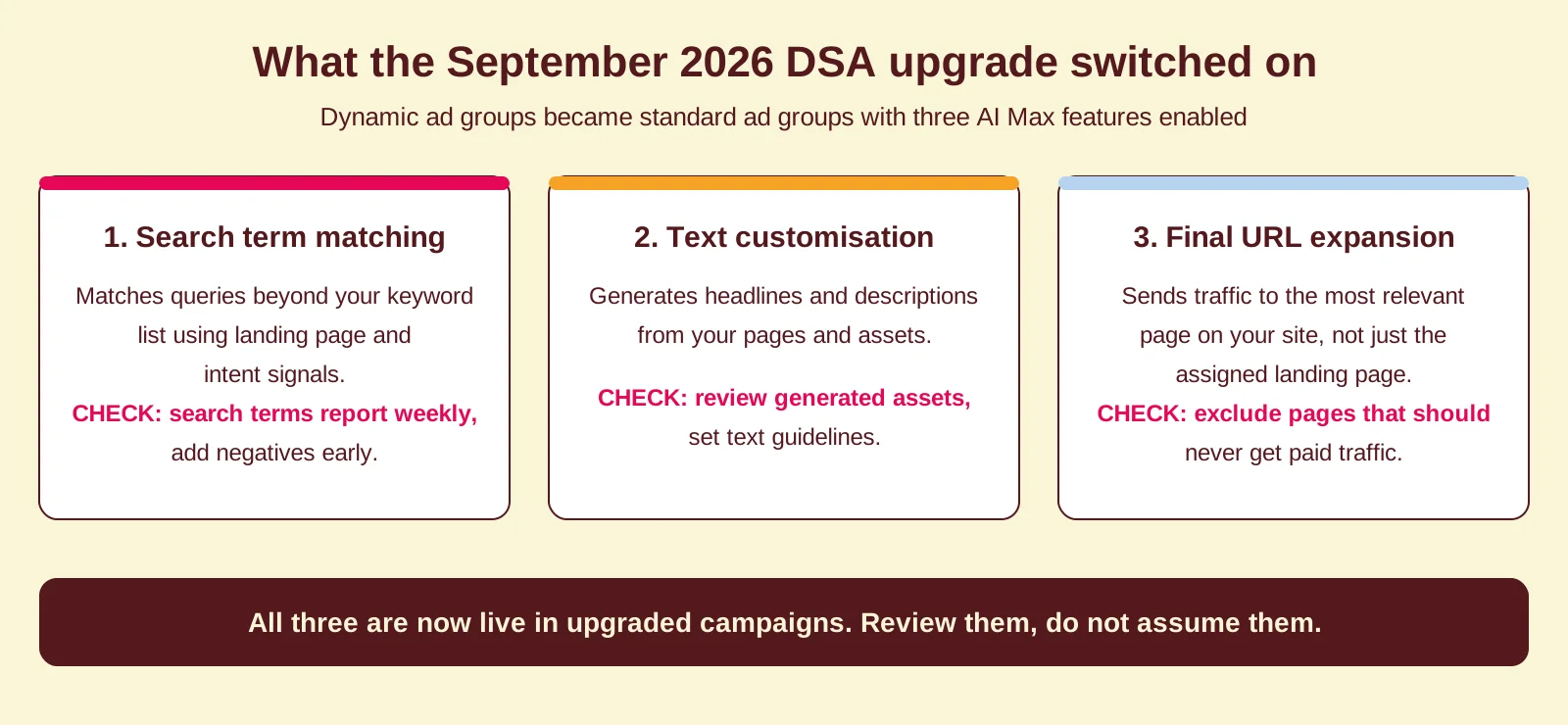
What happened to DSA in September 2026
AI Max launched in beta in May 2025. In April 2026, Google announced it was out of beta and that Dynamic Search Ads would be upgraded to AI Max automatically, with voluntary upgrades available first and automatic upgrades running through September 2026. Google stated that all upgrades for eligible campaigns would conclude by the end of September, and that new DSA campaigns can no longer be created.
In the upgrade, dynamic ad groups became standard ad groups with all three AI Max features enabled: search term matching, text customisation and final URL expansion. Legacy URL controls were preserved, and settings and historical data were ported across to maintain performance.
That last part is the important one. If you did nothing, your campaigns were migrated with default settings rather than settings configured for your account. The campaigns still run, but nobody has reviewed what the new features are doing with your budget. That review is now the job.
What Google’s own data shows
The honest caveat first: the headline numbers on AI Max come from Google, not from independent audits. Treat them as a reason to test properly in your own account, not as a guarantee.
At launch, Google reported that advertisers activating AI Max saw up to 14% more conversions or conversion value at a similar CPA or ROAS, rising to around 27% for campaigns that relied mostly on exact and phrase match keywords. In the upgrade announcement, Google added that campaigns using the full feature suite see an average of 7% more conversions or conversion value than campaigns using search term matching alone.
Google also published two early customer cases: L’Oreal saw a 2x higher conversion rate at a 31% lower cost per conversion, and MyConnect, an Australian utility connection service, drove 16% more leads at a 13% lower cost per action, with around 30% of conversions coming from entirely new search queries.
The pattern behind the successful implementations is consistent with what we see in audits: clean conversion tracking, well-structured campaigns with room in the budget, all three features enabled together, and active monitoring in the first weeks. Expanded matching amplifies whatever signal you feed it. If that signal is broken or double-counted, AI Max scales the error.
What to check now the migration is done
If your DSA campaigns were upgraded automatically, work through these five checks. Together they form Coby’s post-upgrade AI Max review.
Step 1: compare performance against your DSA baseline. Look at the weeks before and after the upgrade: cost, conversion volume, CPA or ROAS, and search term mix. An upgraded campaign goes through a learning period, so judge trends over weeks, not days. If you did not record a baseline, your change history shows when the upgrade landed.
Step 2: read the search terms report, then build negatives. Search term matching casts a wider net than your old DSA setup. Check the report at least weekly in the first month and add negative keywords aggressively. This front-loaded monitoring catches waste before it accumulates.
Step 3: configure text guidelines. Text customisation is live in upgraded campaigns, which means Google is writing ad copy on your behalf. Text guidelines (in beta) let you exclude terms and set natural-language instructions about brand voice and messaging, with up to 25 term exclusions and 40 messaging restrictions per campaign. Review the generated assets and set guidelines rather than hoping for the best.
Step 4: set brand controls. AI Max supports brand inclusions and exclusions, so you can stop your ads serving on competitor brand queries or appearing in contexts that do not fit your positioning. If brand and non-brand were separated in your account structure, verify the upgrade did not blur that line.
Step 5: review final URL expansion. Decide which pages should never receive paid traffic (careers pages, support docs, outdated landing pages) and exclude them. In accounts where landing page specificity drives conversion, consider whether expansion should stay on at all.
Coby’s three conditions before enabling AI Max elsewhere
For Search campaigns that were not part of the DSA migration, AI Max remains opt-in. We do not recommend enabling it until three conditions are met.
First: conversion tracking must be clean. AI Max learns from your conversion data. If your conversion tracking is broken, misconfigured or counting micro-conversions as primary goals, the feature optimises towards the wrong outcomes and spends your budget accordingly.
Second: the campaign must not be budget-constrained. Expanding query matching while capping budget tightly creates contradictions in the system. Either give the campaign room to grow, or tighten your bid strategy targets so it operates within real boundaries.
Third: plan to use the three features together, with controls configured. Google’s own data suggests the full suite outperforms search term matching alone, and our experience matches that, provided text guidelines, brand controls and URL exclusions are set up first. Half-enabled and unsupervised is the worst of both worlds.
What this means for B2B advertisers specifically
B2B accounts tend to have lower conversion volumes than e-commerce, which means AI Max takes longer to exit its learning period and has less data to work with. That makes the post-upgrade review more important, not less.
For B2B lead generation, the most useful feature is search term matching. It surfaces intent signals that keyword lists miss, particularly long, conversational queries from buyers doing research. Final URL expansion is higher risk in B2B, where landing page specificity matters and sending a senior prospect to a generic homepage loses the conversion.
Our recommendation for B2B: keep search term matching and text customisation running with guidelines in place, and evaluate final URL expansion separately once you have post-upgrade baseline data. How AI Max fits into the wider account is part of your PPC strategy, not a bolt-on.
How Coby approaches this
We work tracking-first: before any automation gets more control, the conversion signal it learns from has to be right. That order matters with AI Max more than with most features, because expanded matching and machine-written ads both compound on whatever data they are fed. For one B2B client, fixing the measurement layer before scaling automation took them from 2 to 3 leads a month to 4 to 5 a week.
If your DSA campaigns were migrated and nobody has reviewed the result yet, that is a contained, well-defined piece of work: baseline comparison, search term review, guidelines and controls, URL exclusions. It is exactly what we cover in our Google Ads and data and analytics work. Get in touch if you want a second pair of eyes on what September changed in your account.
Frequently asked questions
What happened to my DSA campaigns in September 2026?
Google automatically upgraded eligible Dynamic Search Ads campaigns to AI Max for Search, concluding by the end of September 2026. Dynamic ad groups became standard ad groups with search term matching, text customisation and final URL expansion enabled, and legacy URL controls preserved. New DSA campaigns can no longer be created.
Is AI Max the same as Performance Max?
No. AI Max runs only on Google Search and keeps full keyword control, search terms reporting and campaign-level negative keywords. Performance Max runs across all Google properties with less granular control. Google positions them as complementary, not as alternatives.
Can I turn AI Max features off after the automatic upgrade?
You can manage the individual features inside the campaign: review search term matching with negatives, steer text customisation with text guidelines, and restrict or exclude pages under final URL expansion. Review each feature against your own data instead of leaving the migrated defaults untouched.
Should I enable all three AI Max features together?
Google’s own data shows campaigns using the full suite average 7% more conversions or conversion value than campaigns using search term matching alone. We see the same pattern, on the condition that tracking is clean and text guidelines, brand controls and URL exclusions are configured first.
How long does AI Max take to exit its learning period?
Typically a few weeks in accounts with sufficient conversion volume; Google recommends running experiments for at least four weeks before drawing conclusions. B2B accounts with lower conversion volumes should allow longer and judge trends rather than daily swings.
What is the biggest risk with AI Max?
Wasted spend on irrelevant queries in the first weeks, especially when negative keyword lists and URL exclusions are not in place. Check the search terms report frequently after the upgrade and add exclusions early. The upside compounds over time; the downside is concentrated in the learning period.
Written by Marloes Slotboom, founder of Coby Agency. Last updated: October 2026.